Best Home Office Upgrades for Better Focus (2026): 5 Smart Amazon Picks That Earn Their Space
The best home office upgrades are the ones you stop noticing because they quietly make work easier. A better desk setup should reduce posture fatigue, clean up visual noise, improve lighting, and keep charging simple. It should not turn your desk into a showroom of gadgets that create new problems.
This guide focuses on upgrades that help real workdays: long writing blocks, admin tasks, video calls, study sessions, and the afternoon slump. The goal is not to buy everything. The goal is to identify the bottleneck in your setup and fix that first.
For broader home upgrades beyond the desk, use the Home pillar. This page stays focused on workday comfort, focus, and desk friction.
Quick verdict: which upgrade should you buy first?
- Best posture upgrade: standing desks — for changing positions instead of sitting frozen all day.
- Best lighting fix: monitor light bars — for cleaner task lighting without using precious desk space.
- Best movement add-on: walking pads — for low-intensity movement during calls or light work.
- Best screen-space tweak: portable monitor mounts — for lifting a second screen into a more usable position.
- Best cable cleanup move: compact USB-C wall chargers — for reducing charger clutter and dead-battery interruptions.
How I chose these picks
I prioritized products and categories that solve repeated problems rather than one-off novelty moments. A good upgrade had to meet three tests: it should be easy to understand, easy to keep using, and specific enough that you know why it belongs in the setup. I also favored upgrades that connect naturally to deeper reviews or buying guides on Must Grab That, so this page is not just a thin list of product names.
The wrong way to shop these categories is to buy every trending item at once. The better move is to identify the most annoying bottleneck in your current routine, fix that first, and only add the next tool if the first one actually sticks.
The best picks in detail
Standing desks: best for breaking the all-day chair trap
The real win of a standing desk is not standing for eight hours. It is having another posture available before your back, hips, and focus start complaining. Being able to shift between sitting and standing can make long workdays feel less locked-in, especially if your current desk forces one position.
Buy one if your workday is long and your current setup makes movement awkward. Skip it if you do not have enough space, if the frame wobbles at your typing height, or if you are hoping it will magically fix a bad chair and screen height.
Who it suits: people who have this exact friction point often enough that a dedicated fix will be used weekly, not forgotten after the first weekend.
Monitor light bars: best for cleaner lighting without desk clutter
A monitor light bar solves a surprisingly common problem: overhead light feels harsh, desk lamps eat space, and dim rooms make screens feel more tiring. A good bar throws light onto the desk instead of directly into your eyes, which can make evening work and paperwork easier.
Check monitor thickness, curved-screen compatibility, and whether you want manual controls or a remote puck. The wrong mount can be more annoying than the lighting problem.
Who it suits: people who have this exact friction point often enough that a dedicated fix will be used weekly, not forgotten after the first weekend.
Walking pads: best for low-friction movement
Walking pads are useful when they are treated as a light movement tool, not a productivity personality change. They work best for calls, reading, admin, and low-precision tasks. Even short sessions can break the feeling of being trapped at a desk all day.
They are not ideal for heavy typing, tiny apartments with no storage, or anyone who will hate moving the pad in and out of place. Noise and floor vibration matter if you share walls or work upstairs.
Who it suits: people who have this exact friction point often enough that a dedicated fix will be used weekly, not forgotten after the first weekend.
Portable monitor mounts: best for making a second screen actually usable
A second screen only helps if it is positioned well. A portable monitor mount can lift a travel display or compact second screen closer to eye level, making it useful for notes, dashboards, chat, research, or reference windows without creating neck strain.
This is most valuable for laptop-first workers. If your second screen is always too low or sliding around, a mount is a bigger upgrade than the monitor itself.
Who it suits: people who have this exact friction point often enough that a dedicated fix will be used weekly, not forgotten after the first weekend.
Compact USB-C wall chargers: best for reducing charging clutter
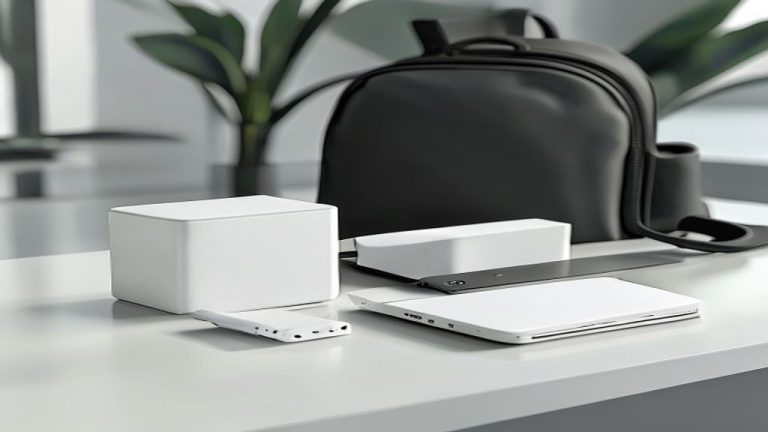
Charging friction steals attention in tiny ways: the laptop charger is in another room, the phone cable is slow, the wall brick blocks another outlet, or a charger bag becomes a knot of duplicates. A compact multi-port USB-C charger can simplify the setup and make the desk feel calmer.
Match wattage to your laptop and devices. A charger that is too weak creates more irritation, while a high-quality compact unit can replace several bricks at once.
Who it suits: people who have this exact friction point often enough that a dedicated fix will be used weekly, not forgotten after the first weekend.
What to avoid
Avoid buying the most complicated version of a simple tool unless you know why you need it. Extra modes, oversized designs, hard-to-clean parts, weak mounts, and vague “viral” claims are usually where practical upgrades become clutter. The best buy is normally the one that solves the problem with the fewest new steps.
Also avoid duplicating tools you already own. If you have a working version that you use happily, upgrade only when the new item fixes a clear weakness: easier storage, better safety, less mess, more reliable performance, or a smaller packed footprint.
Final verdict
Start with the bottleneck you feel daily. If your body gets stiff, prioritize posture or movement. If your eyes get tired, fix lighting. If your desk feels chaotic, fix charging and screen placement. The best home office upgrade is the one that removes a repeated annoyance without demanding a whole new workflow.
This article may contain affiliate links. If you buy through them, Must Grab That may earn a commission at no extra cost to you. The recommendation logic stays the same: practical upgrades first, hype last.