Apple AirTag Review (2026): The Easiest Travel Tracker for iPhone Users?
If you want a travel tracker that works with almost zero setup friction, Apple AirTag is still the cleanest answer for iPhone users in 2026. That does not make it perfect. It is a very Apple-shaped product, which means it feels polished when you are inside the ecosystem and much less appealing when you are not. But for people who already carry an iPhone and want a better way to keep tabs on keys, backpacks, checked luggage, or a camera pouch, AirTag still earns its spot.
Quick shop: Shop Apple AirTag options on Amazon
TL;DR
Apple AirTag is a strong buy for iPhone users who want a low-maintenance Bluetooth tracker with excellent network coverage, easy setup, and a form factor that works for keys, bags, and luggage. It is especially good for people who misplace everyday items at home and travelers who want extra peace of mind during airport chaos. It is a weaker pick for Android users, shoppers who hate buying accessories like holders, or anyone expecting live GPS-style tracking.
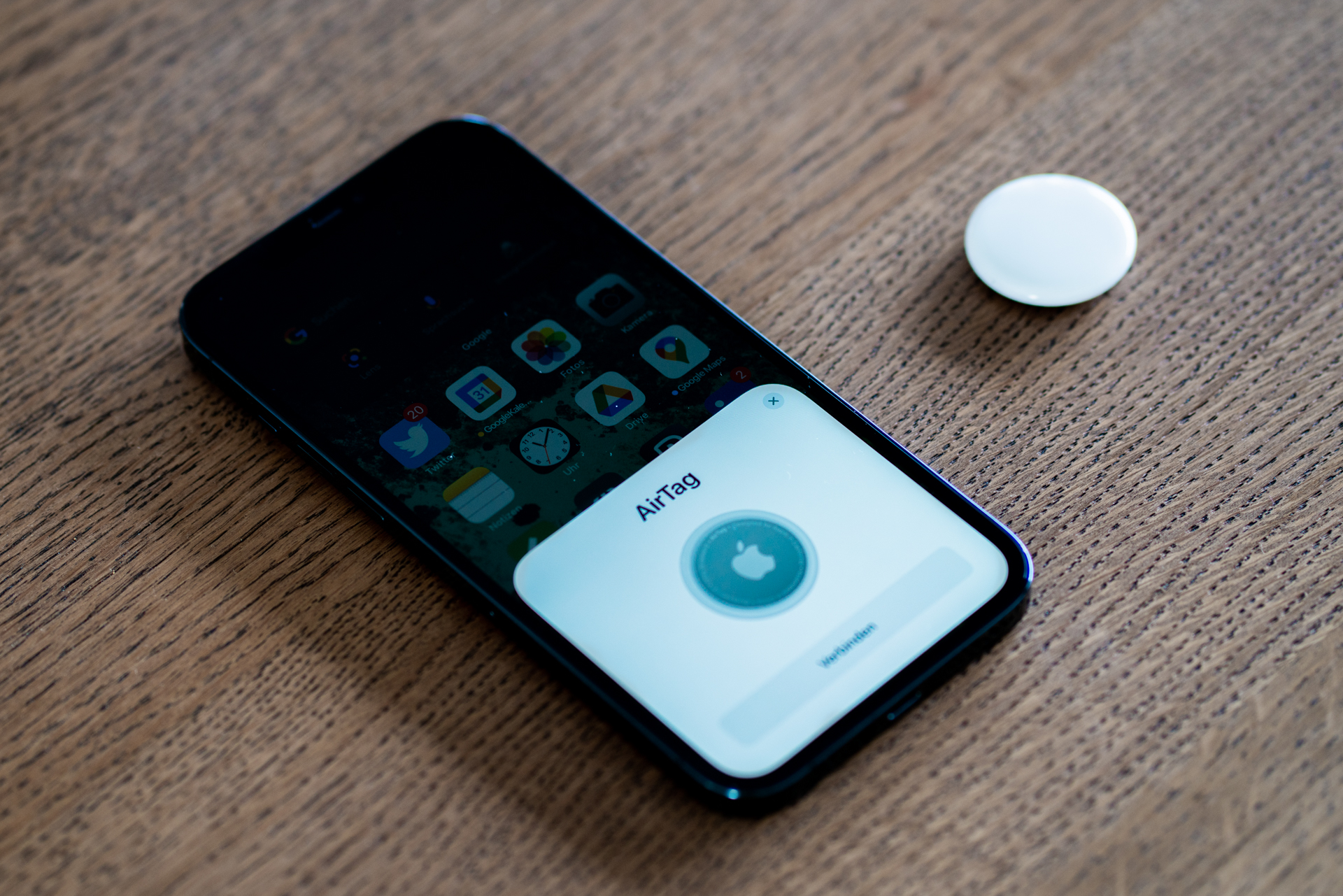
What keeps AirTag relevant is that it solves a common problem without demanding much effort. You pull the tab, pair it with an iPhone, name the item, and the tracker disappears into your routine. Apple’s Find My network remains the big advantage here. Because it piggybacks on a huge installed base of Apple devices, an AirTag on lost luggage or a misplaced bag often has a better chance of being seen than smaller competing trackers with thinner ecosystems.
That is also why AirTag keeps surfacing in TikTok packing and everyday-carry content. It is small, easy to explain, and attached to a very understandable fear: losing something expensive or annoying to replace. Plenty of viral Amazon products fade once the novelty wears off. AirTag tends to stick because the use case stays painfully real.
Who it’s for
This is for the person who already lives in Apple’s world and wants fewer “where did I put that?” moments. If your daily setup already includes an iPhone, AirPods, and maybe a MacBook, AirTag slots in neatly. The interface is familiar, the alerts are straightforward, and the item location workflow feels more polished than the average third-party tracker app.
It is also a good fit for travelers. AirTag became popular for checked luggage for a reason. It is small enough to tuck into a suitcase, backpack organizer, or toiletry bag, and it gives you another layer of reassurance when airline logistics get messy. For families, that same logic extends to diaper bags, school backpacks, and shared keyrings where a little friction saved goes a long way over a year.
I also think it suits practical buyers more than gadget collectors. The best AirTag story is usually boring: you stopped wasting time hunting for keys, or you found the suitcase before the airline finished giving vague updates. That kind of anti-drama utility is exactly what makes it a durable recommendation.
Who should skip
Skip AirTag if you are on Android. There are workarounds and limited detection features, but the product is clearly designed for Apple users first. If your household runs on Samsung or mixed-platform devices, you will probably be happier with a tracker ecosystem that is not fighting your phone choice from day one.
You should also skip if you want true real-time GPS tracking. AirTag is not that. It depends on Apple’s network and nearby devices rather than acting like a stand-alone cellular locator. For most shoppers that is acceptable, but expectations matter. This is a “find my stuff” tool, not a professional fleet-tracking device.
And while the puck itself is tidy, the total buy can get more expensive than it first looks. Many people end up wanting holders, key rings, luggage loops, or adhesive mounts to attach it securely. If you hate add-on ecosystems, that minor accessory tax may annoy you more than the tracker helps.
Pros
- Very easy setup for iPhone users.
- Massive Find My network is still the biggest practical advantage.
- Compact shape works well for keys, bags, wallets with holders, and luggage.
- Replaceable battery keeps the long-term ownership model simple.
- Useful for both everyday lost-item recovery and travel peace of mind.
Cons
- Best experience is effectively limited to Apple users.
- Not a true GPS tracker with independent live coverage.
- Often needs an extra holder or accessory to attach cleanly.
- Round puck design is elegant but not always pocket-friendly on its own.
What to look for
If you are buying an AirTag in 2026, focus less on the tracker itself and more on the real use case. Are you trying to track keys, a purse, checked luggage, or a work bag? The right accessory matters almost as much as the puck. A luggage loop, keyring holder, or card-style workaround changes whether the product feels seamless or slightly annoying.
It also helps to compare the category before buying. Our TikTok Made Me Buy It pillar is the best starting point if you want a broader sense of which social-commerce products actually earn their keep. For the fuller packing, power, comfort, and hygiene map, use the Travel pillar—that is the fastest way to pair an AirTag with the rest of a smarter travel setup instead of shopping trackers in isolation. For a more travel-focused shortlist, see our best travel gadgets roundup, or jump straight to Best Carry-On Travel Upgrades for Smoother Flights (2026) for the tighter five-pick shortlist. And if you want the tracker category broken down directly, our Tile vs AirTag vs Chipolo guide is the most relevant related read.
Best direct search: Compare Apple AirTag multipacks on Amazon
Also useful: If you tend to overpack because you worry about losing things, the new Best Travel Fixes for Overpackers (2026) roundup shows where an AirTag fits in a lower-chaos travel setup.
Useful add-on: Browse AirTag luggage holders
The real decision is not whether AirTag is clever. It is whether it matches your phone, your habits, and the kinds of things you keep losing. For Apple users, the answer is still often yes. The product does not need a dramatic redesign to remain useful because the core job has not changed: helping you recover items before inconvenience turns into a ruined day.
That is why I still like it. AirTag is not flashy anymore, and that is a good sign. It has crossed over from viral gadget to normal recommendation, which usually means the product found a real role instead of just winning a temporary content cycle.
Sources
- Apple product documentation and Find My ecosystem behavior for AirTag setup, battery model, and item-finding workflow.
- Amazon product listings and shopper bundles for Apple AirTag, multi-packs, and common accessory holders.
- Travel-use patterns around luggage tracking, key tracking, and everyday carry organization.
- Wikimedia Commons for the featured image licensing and attribution.
For the right buyer, AirTag is still one of the easiest practical tech purchases on Amazon. It is not universal, but it does not need to be. If you use an iPhone and want less friction around lost essentials, it remains one of the safest tracker buys in 2026.
If you want the broader travel setup after this review, use the Travel pillar as the hub. It connects this tracker with the tighter carry-on roundup, the airport-stress roundup, the portable luggage scale trend, and the BAGSMART vs Nite Ize comparison so the rest of your bag setup makes sense too.
If you want the quicker shortlist built around lower-stress airport days, also see Best Carry-On Travel Upgrades for Smoother Flights (2026). It puts AirTag in a tighter five-pick kit with power, organization, luggage-weight, and hydration fixes.
FTC disclosure: As an Amazon Associate, Must Grab That may earn from qualifying purchases.