Kasa Smart Plug Mini Review (2026): The Quiet Home Automation Upgrade That Actually Gets Used
Disclosure: As an Amazon Associate, Must Grab That may earn from qualifying purchases when you buy through links on this page. We only recommend products that make sense for the job, and you should always confirm current specs, compatibility, price, and availability before buying.
Quick take: The Kasa Smart Plug Mini is one of those boring Amazon essentials that can quietly make a home feel more put together: lamps turn on before you walk in, holiday lights stop needing a daily crawl behind furniture, and small appliances can be put on a schedule instead of relying on memory.
CTA: See current Kasa Smart Plug Mini options on Amazon: shop Kasa Smart Plug Mini smart plugs. If you want to compare beyond Kasa, also check mini smart plug alternatives.
What the Kasa Smart Plug Mini Is
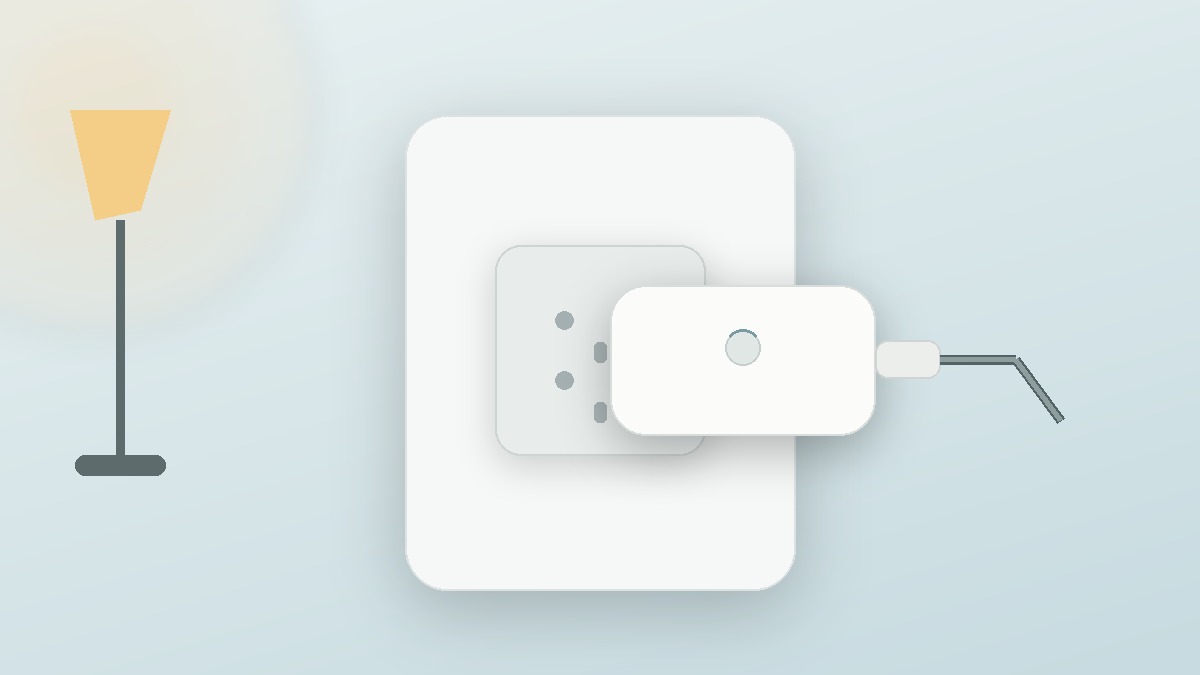
The Kasa Smart Plug Mini is a compact Wi-Fi outlet adapter that sits between a wall outlet and a plug-in device. Instead of replacing your lamp, fan, string lights, humidifier, or coffee station accessory, you make the existing device controllable through an app and, depending on your chosen model and smart-home setup, through compatible voice assistants or automation platforms.
That simple premise is why smart plugs keep showing up in real homes. They are not as glamorous as a robot vacuum or as visually satisfying as a perfect cable-management reel, but they solve repetitive little annoyances. A good smart plug lets you automate the devices that are still useful but not smart on their own.
Kasa’s appeal is that it has become a familiar, accessible smart-home brand. There are multiple Kasa plug versions, including basic mini plugs and slim plugs with extra ecosystem support on some models, so the right move is not to assume every listing has the same features. Look closely at the exact model number, outlet rating, app support, and whether you need Apple Home compatibility, energy monitoring, or just simple scheduling.
Who This Smart Plug Is Best For
The Kasa Smart Plug Mini makes the most sense for people who already have a few dumb-but-useful plug-in devices and want easy automation without rewiring anything. If your main pain point is a lamp across the room, a fan you forget to turn off, a plant light that needs consistency, or holiday decorations that become a chore after day three, this is exactly the kind of low-effort upgrade that earns its keep.
It is also a good starter smart-home product. You do not need to redesign your home around it. You plug it in, connect it, name the device, and build small routines. That is less intimidating than smart switches, smart bulbs, or whole-room lighting systems, especially for renters.
Best real-world uses
- Living-room lamps: Schedule lamps to turn on around sunset so the house does not feel dark when you come home.
- Bedroom routines: Use a bedside lamp with a scheduled wind-down or morning routine, as long as the lamp’s physical switch stays on.
- Holiday and seasonal decor: Automate tree lights, window candles, porch decorations, or patio string lights without daily plugging and unplugging.
- Fans and white-noise machines: Create timed routines for comfort devices that do not need to run all day.
- Plant lights: Keep grow lights on a consistent schedule without buying a separate mechanical timer.
- Hard-to-reach outlets: Control a plug behind a cabinet, shelf, or couch from your phone instead of moving furniture.
Who Should Skip It
Skip a smart plug if you need fine control over a device with buttons, modes, or electronic memory that does not resume correctly after power is cut. A smart plug is basically an on/off gate. It cannot press a fan’s speed button, select a humidifier mode, change a coffee maker’s brew setting, or confirm that an appliance is safe to power remotely.
You should also skip it for high-draw or safety-sensitive appliances unless the specific plug rating and manufacturer guidance clearly allow that use. Space heaters, irons, hot plates, and similar heat-producing devices deserve extra caution. A schedule is convenient, but convenience is not a substitute for safe operation.
If you use Apple Home as your main smart-home system, pay close attention to model compatibility. Some Kasa plugs support Apple HomeKit or Matter; others are designed primarily around the Kasa app plus Alexa/Google-style voice control. Buying the wrong version is the easiest way to turn a simple upgrade into a return.
Setup and Daily Use
The setup process is usually the main test for a smart plug. In a good version of this product category, the app finds the plug, connects it to your home Wi-Fi, and lets you assign a room and device name without a support-thread rabbit hole. In daily use, the most important features are schedules, timers, remote on/off control, and reliable routines.
For most people, the best first automation is a simple lamp schedule: on at sunset or a fixed evening time, off at bedtime. That gives you an immediate win without building a complicated smart-home scene. From there, add a fan timer, a plant light schedule, or a vacation-style routine that makes the house look less empty.
One practical tip: name the plug for the device, not the room. “Living Room Lamp” is better than “Plug 1.” If you eventually add more smart plugs, clear names prevent voice-control chaos and make troubleshooting easier.
Strengths: What It Gets Right
It is small enough for normal outlets. Mini smart plugs are useful because they usually do not turn one outlet into a blocked mess. You still need to check your exact outlet layout, but compact plugs are far easier to live with than old oversized smart adapters.
It improves things you already own. A smart plug is not asking you to replace every lamp with smart bulbs. That matters if you like your existing bulbs, have decorative fixtures, or want a simple on/off routine for a non-light device.
It is easy to scale slowly. You can start with one plug and add more only where the habit sticks. That is a smarter path than buying a giant smart-home bundle before knowing which automations you will actually use.
It works especially well for repeat tasks. The value is not one dramatic moment. It is the fact that a lamp, fan, or decoration turns itself on and off correctly for months.
Caveats Before You Buy
The biggest caveat is ecosystem matching. “Kasa Smart Plug Mini” can refer to different versions across listings and bundles. Some shoppers only need app control and common voice-assistant support. Others specifically want Matter, Apple Home, or energy monitoring. Those are not interchangeable needs, so read the listing carefully before buying.
The second caveat is Wi-Fi. Many smart plugs rely on a 2.4 GHz Wi-Fi connection, and setup can be annoying if your router combines bands in a way that confuses older smart-home devices. This is not unique to Kasa; it is a common smart-home setup issue. If you have had trouble pairing smart bulbs or cameras before, expect to spend a few extra minutes checking router settings.
The third caveat is device behavior after power loss. A lamp with a physical switch usually works beautifully. A digital appliance that requires a button press after receiving power may not. Before building a routine, test what happens when you unplug the device, plug it back in, and see if it returns to the state you expect.
Alternatives and What to Compare
If you are comparison shopping, do not just compare price. Compare the features you will actually use:
- Kasa basic mini plugs: Good for simple app schedules and routine automation.
- Kasa plugs with energy monitoring: Better if you want to see approximate power use for a device, not just turn it on and off.
- Matter-compatible smart plugs: Worth considering if you are trying to build a more future-friendly smart home across ecosystems.
- Outdoor smart plugs: Better for patio lights, holiday displays, and covered outdoor setups; do not use an indoor plug outside.
- Smart bulbs: Better if you want dimming, color temperature, or individual bulb scenes rather than simple power control.
- Smart switches: Better for permanent wall-controlled lighting, but they involve wiring and are less renter-friendly.
For broader setup ideas, Must Grab That’s guide to home office upgrades for better focus is a useful companion if you are building a cleaner work setup. For more general home picks, the TikTok home upgrades guide is a good place to compare low-friction upgrades.
Amazon Buying Advice
Before you click buy, check four things: the exact model number, smart-home compatibility, plug rating, and pack size. Four-packs can be a better value if you already know you want several routines, but a single plug is safer if this is your first smart-home purchase.
Also decide whether you actually need energy monitoring. It sounds useful, and it can be, but plenty of homes only need scheduling. If the cheaper basic plug handles your lamp and holiday lights, paying extra for monitoring may not change your daily life. On the other hand, if you want to understand what a fan, dehumidifier, or office device uses over time, an energy-monitoring version may be worth comparing.
Useful Amazon searches:
- Kasa Smart Plug Mini
- Kasa smart plugs with energy monitoring
- Matter-compatible mini smart plugs
- Outdoor smart plugs for patio or holiday lights
Final Verdict
The Kasa Smart Plug Mini is not exciting in a flashy gadget way, and that is exactly why it works. It is a practical little bridge between the devices you already own and the routines you wish were automatic. For lamps, fans, plant lights, seasonal decor, and hard-to-reach outlets, it is one of the simplest smart-home upgrades to recommend.
The main buying rule is to match the exact plug to your ecosystem and use case. If you only need basic scheduling, keep it simple. If you need Apple Home, Matter, energy monitoring, or outdoor use, buy the version designed for that job. Do that, and a compact smart plug can become one of the most quietly useful Amazon essentials in the house.