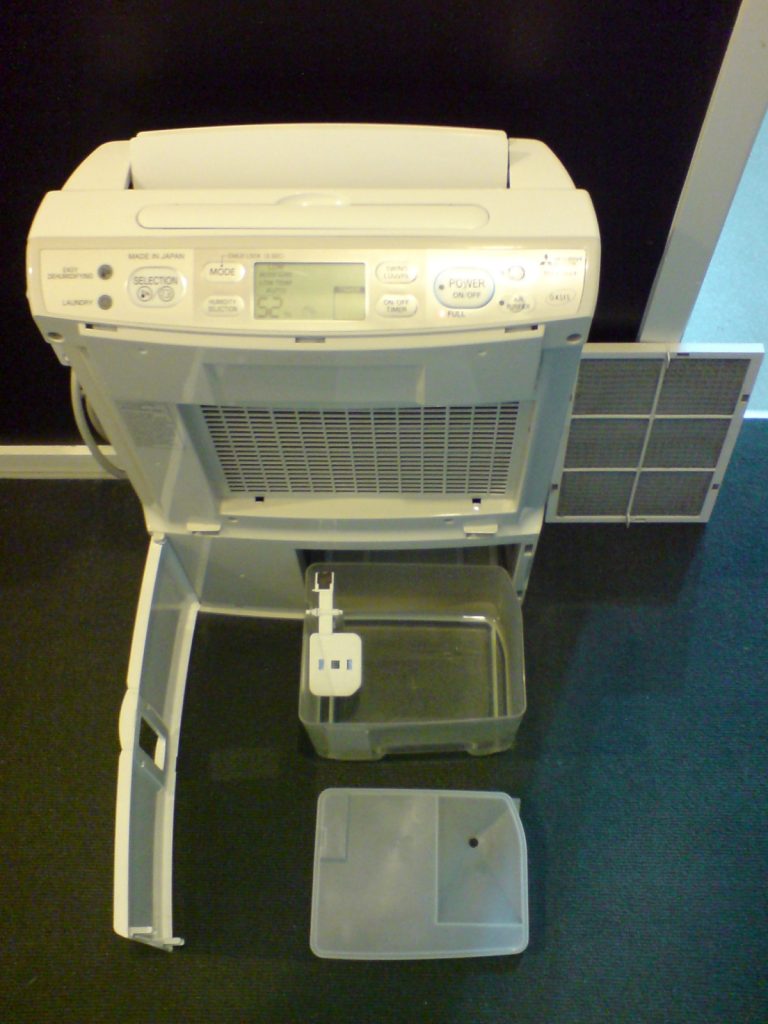

Hook: “my basement smells weird” is usually a humidity problem, not a candle problem
If you’ve ever walked downstairs and felt that slightly damp, heavy air—there’s a good chance your space isn’t crying out for another air freshener. It’s asking for humidity control.
That’s why smart dehumidifiers are set up to be one of the most practical “boring upgrades” of 2026: they take something people forget to manage (moisture) and automate it with sensors, schedules, and alerts—so you’re not discovering mold or musty smells after the fact.
CTA: If you have a basement, laundry room, or any space that regularly feels clammy, a smart dehumidifier is one of the highest ROI quality-of-life purchases you can make—as long as you buy the right size and don’t overpay for gimmicks.
TL;DR
- Why they’ll trend in 2026: more home offices in basements/garages + better sensors/apps + people finally caring about indoor air quality.
- What “smart” actually helps with: maintaining a target humidity automatically, getting filter/bucket alerts, and tracking humidity trends.
- The biggest mistake: buying the wrong capacity (too small) or running it without thinking about drainage.
Who this is for (and who should skip)
This upgrade is for you if you:
- Have a basement, crawl space access area, or lower level that gets musty after rain.
- See condensation on windows/walls or feel clammy air in summer.
- Run a laundry room without great ventilation (drying clothes pumps moisture into the air).
- Have storage you care about (books, cardboard, clothes, electronics) and want to prevent humidity damage.
Skip (or buy a basic unit) if you:
- Only need a dehumidifier a couple of weeks per year.
- Don’t want any apps/Wi‑Fi devices in your house (fair).
- Have a serious water intrusion problem (standing water, leaks). Fix the water entry first; a dehumidifier is not a structural repair.
Pros & Cons
Pros
- “Set and forget” humidity control. Target a range (often 40–50% RH) and let the unit maintain it.
- Alerts prevent gross surprises. Full bucket, filter reminder, or performance issues can be pushed to your phone.
- Trend data is genuinely useful. Seeing humidity spikes can point you to poor ventilation, a dryer vent problem, or seasonal patterns.
Cons
- Wi‑Fi isn’t a substitute for capacity. If it’s undersized, it will run constantly and still lose.
- Apps vary from great to junk. Smart features are only as good as the manufacturer’s software support.
- Noise is real. If you’re putting it near a bedroom or office, decibels matter.
What we looked at (how to buy without getting played)
When you’re shopping, focus on the boring fundamentals first. Smart features come after these:
- Capacity rating: match the unit to your room size and dampness level (manufacturers provide sizing guidance).
- Drainage plan: bucket only vs gravity hose vs pump. If you can’t drain continuously, you’ll be emptying buckets forever.
- Energy efficiency: dehumidifiers can run a lot—efficiency standards/labels matter for long-term cost.
- Humidistat accuracy: the unit should hold a stable RH range without wild swings.
- Cold-weather performance: basements get cool; some units ice up in low temps.
- Maintenance: washable filter access, easy-to-clean bucket, and sensible placement for airflow.
What to buy (features that actually matter)
- Continuous drain option: hose connection is non-negotiable if you want low effort.
- Auto-restart: after a power outage, it should resume settings automatically.
- Decent app controls: target humidity, schedules, and alerts. Anything beyond that is a bonus.
- Real-world noise tolerance: if it’ll run near your desk, prioritize quieter models or place it further away with good airflow.
What to skip (common gimmicks)
- Overpaying for “AI” modes. Dehumidification isn’t complicated: measure RH, run compressor/fan, stop at target.
- Undersized “cute” units. If it’s tiny and claims miracles, you’ll be disappointed in a wet basement.
- Anything without a clear drainage solution. Buckets are fine for small spaces, but terrible for chronic humidity.
Quick checklist: dial in your basement humidity in a week
- Day 1: Put a cheap hygrometer in the room and see your baseline RH morning/night.
- Day 2: Place the dehumidifier with clearance around the intake/exhaust (don’t shove it in a corner).
- Day 3: Set target RH to 45–50% to start; adjust based on comfort and your local conditions.
- Day 4: Set up continuous drain (hose or pump) if possible. This is the difference between “love it” and “I hate this.”
- Day 5: Check humidity trends in the app. If RH isn’t dropping, you likely need more capacity or better airflow/venting.
- Day 7: Clean the filter and confirm the unit is cycling on/off (not running 24/7 forever).
Internal links (more practical home upgrades)
- Home Upgrades (the fixes that make a house feel better)
- Predictions (what’s likely to be worth buying next)
- Amazon Finds (popular products worth comparing)
Sources
- U.S. EPA: Mold resources (humidity and moisture management basics)
- ENERGY STAR: Dehumidifiers (efficiency guidance and product category info)
FTC disclosure
If you buy through links on this site, we may earn a commission at no extra cost to you. We only recommend products we believe are genuinely worth it.