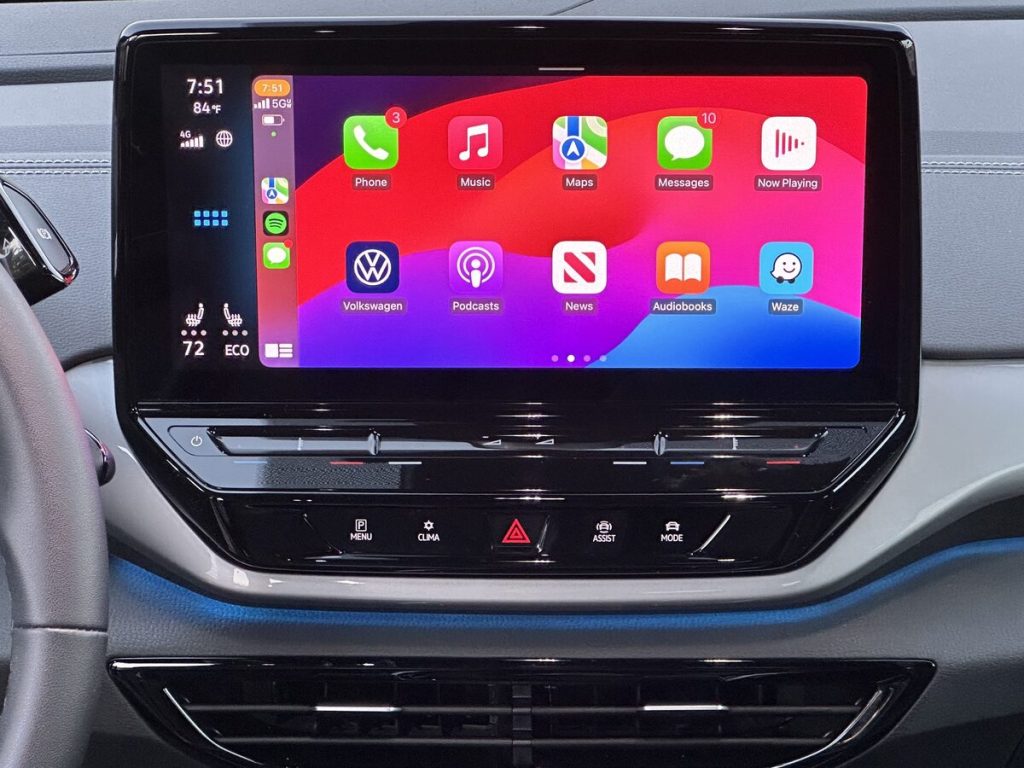

Wired CarPlay is great — until your “quick drive” turns into a ritual: plug in, cable tangles, phone falls, battery barely moves, and you arrive with a cluttered console. In 2026, one of the most practical micro-upgrades I’m seeing (especially from TikTok car setup videos and Amazon best-seller patterns) is the wireless CarPlay adapter — but the good ones are evolving past the cheap dongles that lag and disconnect.
Prediction: wireless CarPlay adapters with modern chips, fast boot times, and USB‑C/aux passthrough will become a default upgrade for anyone who drives daily and hates cable clutter — as long as you buy with a clear checklist and realistic expectations.
TL;DR
- What’s changing: adapters are getting faster and more stable, and more cars are shipping with wired-only CarPlay that owners want to “fix.”
- Buy it if you commute and want a cleaner cabin + less phone juggling.
- Skip it if you’re sensitive to even small audio lag or you already have a rock-solid wired mount + cable routine.
- Rule: treat this like a tiny computer (chipset + firmware matters), not a “dumb” cable.
Who it’s for
- Daily drivers with wired-only CarPlay who want wireless convenience without buying a new head unit.
- People using CarPlay mainly for maps, music/podcasts, and calls.
- Anyone trying to reduce console clutter (charging cables, phone sliding around, tangled cords).
- Drivers who share a car and want easy handoff without plugging/unplugging constantly.
Who should skip
- If you notice and hate audio latency (some adapters introduce a small delay; it’s usually fine for podcasts, more annoying for videos or precise audio cues).
- If you frequently use multiple phones and don’t want to manage pairing priority.
- If your car’s USB port is underpowered or flaky — adapters are sensitive to power stability.
- If your current setup is already perfect: a solid mount + a short USB‑C/Lightning cable can be simpler than adding another device.
Pros
- Less friction: start the car and CarPlay connects without the “plug-in dance.”
- Cleaner cabin: fewer visible cables, less clutter in the center console.
- Reduced connector wear: fewer daily plug/unplug cycles can be easier on your phone port and car USB port.
- Better habits: your phone can stay in a mount or pocket instead of being handled at every stoplight.
Cons
- Another failure point: it’s a mini device that can freeze, need resets, or require firmware updates.
- Potential lag: audio delay is the #1 complaint on cheap units.
- Heat + power: some adapters run warm; a tight, unventilated console can make stability worse.
- Compatibility weirdness: specific car models and iOS versions can behave differently.
What to look for (wireless CarPlay adapter checklist)
If you buy this category like a grown-up instead of gambling on the cheapest dongle, you’ll have a much better time. Here’s the checklist I’d use in 2026:
- Fast boot time: the best adapters connect quickly after ignition, not 60–90 seconds later.
- Modern Wi‑Fi/Bluetooth stack: wireless CarPlay uses Bluetooth for handshake and Wi‑Fi for data; stability depends on the radio and firmware.
- Firmware updates: look for brands that actually publish updates (and instructions) instead of disappearing after launch.
- Heat management: if reviews mention overheating or summer disconnects, believe them.
- USB‑C or stable USB power: adapters are picky; a short, high-quality cable and steady power help.
- Return policy: compatibility is real; you want an easy return if your specific car/head unit hates it.
- Passthrough needs: some people want a unit that doesn’t block the only USB port (or offers auxiliary passthrough). If your car has one port, this matters.
Reality check: wireless ≠ charging
Wireless CarPlay solves the connection convenience problem. It does not solve charging. If you drive more than ~20–30 minutes daily with maps running, you’ll probably still want:
- a MagSafe-style car charger (for iPhone) or a solid Qi2/qi mount if your phone supports it, or
- a short cable that stays in the car (if you don’t want heat from wireless charging).
Amazon links (2–4 affiliate links)
Search links below help you compare the newest revisions without embedding Amazon listing images:
- Wireless CarPlay adapter (comparison set)
- MagSafe car charger mount (to solve charging)
- USB‑C car charger (PD, 30–45W class) (fast wired charge option)
Internal links
- Best Travel Gadgets That Are Actually Worth Packing (pillar)
- February 2026: The Most Trending TikTok Amazon Finds (roundup)
- NOCO Boost Plus GB40 Review (related)
Sources
- Apple Support: About Apple CarPlay (what it is, requirements)
- Apple Support: If you can’t connect to CarPlay (troubleshooting basics that overlap with adapter issues)
- NHTSA: distracted driving (why reducing phone handling matters)
FTC Disclosure: This post contains affiliate links. If you buy through these links, we may earn a commission at no extra cost to you.