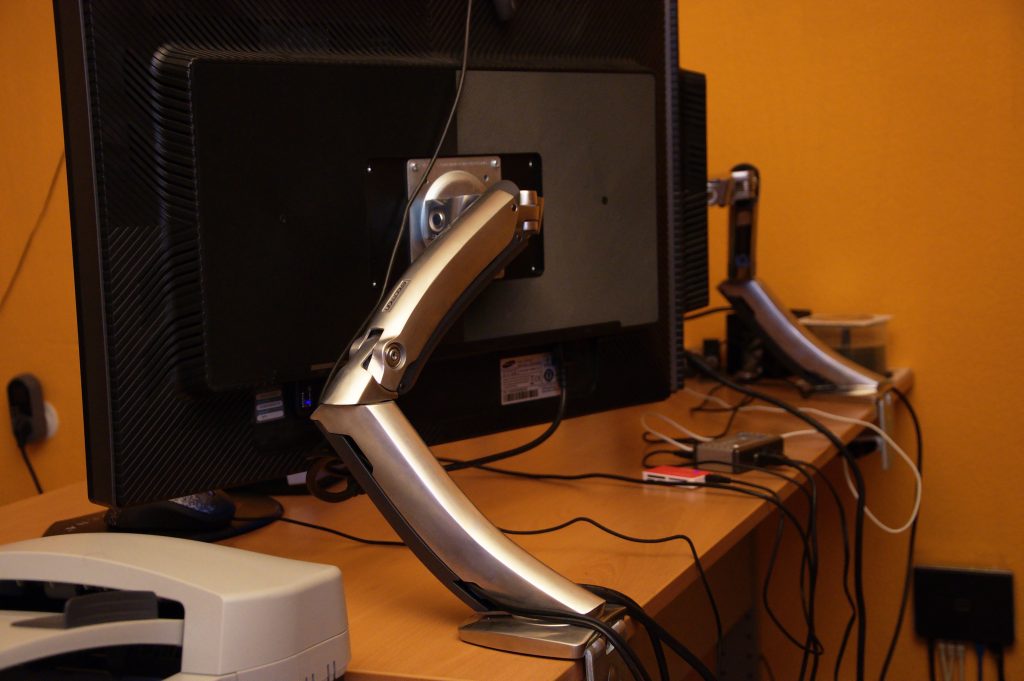

Portable monitor setups have quietly turned into one of those TikTok work-from-anywhere desk upgrades that look gimmicky until you actually try one. The extra screen is useful on its own, but the thing that often makes the setup feel polished instead of improvised is the portable monitor mount: a clamp, stand, or arm that gets the display off the table, closer to eye level, and easier to position next to a laptop.
This is why the category is worth reviewing now. Exploding Topics lists portable monitor mount among fast-rising TikTok topics, and the trend makes sense. Portable monitors are cheaper, lighter, and more common than they were a couple of years ago, while hybrid work has trained people to care more about ergonomics and compact gear. ASUS, one of the better-known names in portable displays, positions its ZenScreen line around portability, flexible setup, and productivity on the go. Once you already own a portable monitor, a mount is the obvious next purchase.
TL;DR
If you already use a portable monitor more than once or twice a month, a good mount is worth it. The best ones make a temporary desk feel more permanent: better posture, more usable desk space, and less awkward neck movement. The catch is that buyers often underestimate compatibility. Before you hit buy, check weight support, screen size, attachment method, and whether your display actually works with the mount style you want. For most people, a simple clamp-on stand or lightweight arm is the sweet spot.
Who it’s for
This category makes the most sense for three groups. First: laptop users who regularly need a second screen at home, in a shared office, or in a hotel room. Second: creators and remote workers who film or edit from small desks and want a cleaner camera-ready setup. Third: anyone who already owns a portable monitor and has discovered that balancing it on the included folio case is fine for ten minutes and annoying for three hours.
If your goal is to make a compact workspace feel less temporary, this accessory punches above its price. A mount can free up space for a notebook, keyboard, charger, or microphone, and it can reduce the slightly hunched posture that happens when a second screen sits too low.
Who should skip
Skip this category if your portable monitor only comes out a couple of times a year, if you work mostly from coffee shops where clamp hardware is awkward, or if your display has no realistic way to attach securely to a mount system. Some people are better off buying a portable monitor with a stronger built-in stand instead of adding another accessory. And if your desk wobbles badly, a cheap arm can make the whole setup feel worse, not better.
Why portable monitor mounts are trending
TikTok tends to reward products that solve a visible problem in a satisfying way. Portable monitor mounts do exactly that. Creators can show the before: cramped desk, low screen, cable mess. Then they show the after: laptop centered, second display elevated, desk suddenly looking like a deliberate workstation. That kind of transformation content performs well because the benefit is obvious in two seconds.
The broader market logic is there too. Exploding Topics highlighted portable monitor mount as a rising TikTok topic and noted that portable monitors and related accessories have gained momentum alongside remote and hybrid work. ASUS also markets portable displays around flexibility and easy setup in multiple scenarios. Those two signals together are enough to treat this as more than a random one-week gadget spike.
Pros
- Better ergonomics: getting the screen closer to eye level is the biggest practical win.
- Cleaner desk layout: more room for a keyboard, notebook, audio gear, or just your coffee.
- More useful second-screen positioning: portrait, landscape, left-side, right-side, higher, lower.
- Cheap upgrade relative to a new monitor: a mount can noticeably improve a setup without replacing the screen.
- More polished on video calls: your workspace looks intentional instead of temporary.
Cons
- Compatibility headaches: not every portable monitor supports every mounting approach.
- Desk clamp limits: some tables are too thick, too delicate, or badly shaped for clamps.
- Cheap arms can sag or wobble: low cost is great until the screen droops by lunchtime.
- Less portable than the word “portable” suggests: some mounts are better for semi-permanent desks than true travel.
- Extra cable management needed: raising the monitor can make cable clutter more obvious.
What to look for
Start with the fundamentals. The first question is how the monitor attaches. Some products rely on VESA-style compatibility, some use shelves or trays, and some are designed specifically for laptop-plus-monitor stacking. Do not assume universal fit. Check the exact size and weight range the mount is designed for, and compare it to your screen rather than the marketing photos.
Next, look at adjustability. Height, tilt, swivel, and rotation all matter, but not equally. For most buyers, height and tilt matter the most. If the monitor sits next to your laptop all day, even a small improvement in angle can make the setup easier on your neck and shoulders.
Then look at stability. A lightweight portable display does not need a giant premium arm, but it does need something that will not drift, shake, or bounce every time you type. Read buyer feedback with skepticism, but pay attention when multiple reviews mention slipping joints, weak clamps, or awkward tightening mechanisms.
Finally, think about use case. If you mainly work from one home desk, a clamp arm is usually the best value. If you move around the house or office, a foldable desktop stand might be smarter. If you want something for flights or cafés, most clamp-based options are overkill and the better answer is probably a better folio stand rather than a separate mount.
Real-world buying verdict
As a category, portable monitor mounts are worth buying when they solve a repeat problem, not when they merely look cool in setup videos. If your second screen is already part of your weekly workflow, this accessory can make your desk more comfortable and more functional for relatively little money. If your monitor mostly lives in a drawer, save the money.
My practical take: buy the category if you are trying to build a repeatable work-from-anywhere setup, but stay picky. The winners are the mounts that are light, stable, and boringly reliable. The losers are the ones that promise universal compatibility and end up being fiddly compromises.
Amazon links (affiliate)
- Portable monitor mounts on Amazon
- Portable monitor stands on Amazon
- Monitor arms for lightweight portable displays
For more browsing, start with our pillar guide to TikTok Made Me Buy It picks, then check the best TikTok organization finds roundup if you’re trying to tidy a small workspace, and see our related take on viral 3-in-1 wireless charging stations for another desk-friendly upgrade.
Sources
- Exploding Topics – Top TikTok Trends (April 2026)
- Exploding Topics – How to Find Viral Products to Sell on TikTok
- ASUS – ZenScreen portable monitors overview
FTC Disclosure: As an Amazon Associate, Must Grab That may earn from qualifying purchases made through affiliate links in this post.