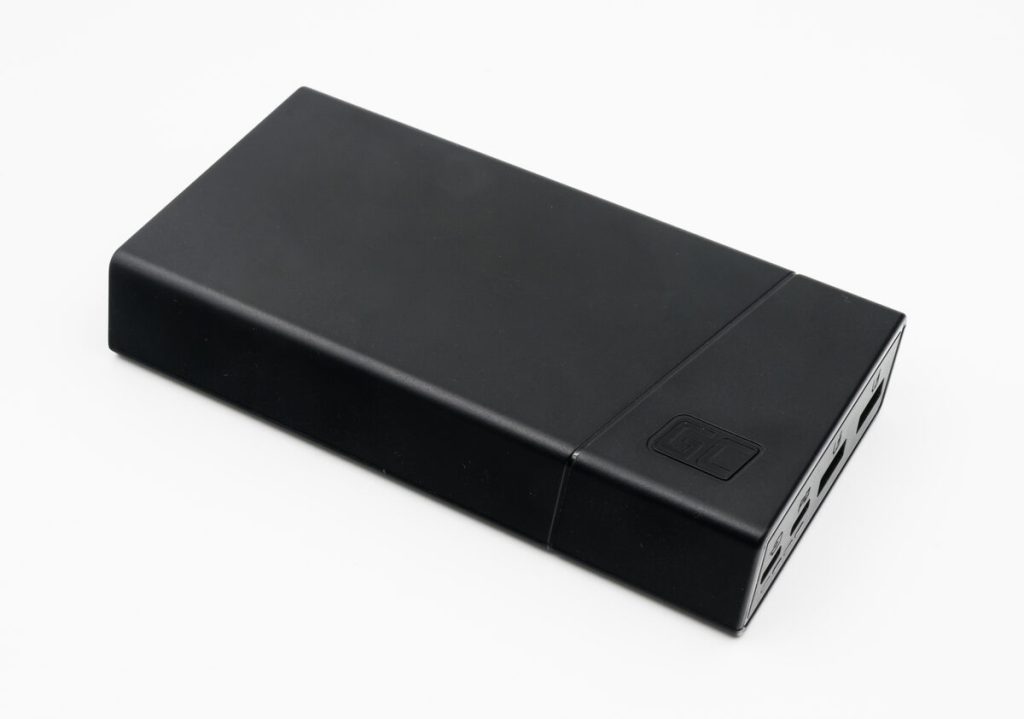

If you’ve ever tried to work from a café, airport lounge, or shared office and watched your laptop battery fall off a cliff, you already understand the appeal of the Baseus Blade-style “flat” USB‑C power bank. It’s meant to be a real travel battery: enough output to actually charge a laptop, not just top up a phone.
Also useful: If you’re building a lower-friction packing setup, see Best Travel Organization Tools (2026) for the full roundup.
This review is about the Baseus Blade laptop power bank class (the slim, high‑watt USB‑C models). The exact capacity varies by version, but the buying logic is the same: you’re paying for high USB‑C output, multiple ports, and a shape that fits in a sleeve.
TL;DR
- Buy it if you need a laptop-capable USB‑C power bank that’s genuinely packable and you care about output wattage more than “smallest possible.”
- Skip it if your laptop needs a lot of power while running (gaming/workstations) or you’re picky about airline rules and want the simplest, lowest-risk battery setup.
- Best use: topping up a MacBook Air/Pro (light use), ultrabooks, iPads, and phones during travel days.
Who it’s for
- Remote workers who do 2–6 hour “no outlet” stretches (airport gates, trains, conferences).
- People with a USB‑C laptop who want one travel battery that also handles phone/earbuds.
- Anyone sick of thick, brick-shaped power banks that don’t fit well in a laptop sleeve.
Who should skip
- If your laptop routinely draws very high wattage under load (gaming, heavy GPU work). A 65–100W bank can still feel like “treading water.”
- If you want the most foolproof airline experience. You’ll need to check the battery’s Wh rating and your airline’s policy.
- If you only need phone charging. You’ll pay extra for laptop outputs you won’t use.
Pros
- Laptop-grade USB‑C output: the entire point is usable wattage, not “technically charges a laptop if it’s asleep.”
- Flat form factor: slides into bags and sleeves better than cylinder/brick banks.
- Multiple ports: you can run laptop + phone without juggling a splitter.
- Good travel math: one battery can replace “laptop dying + frantic outlet hunt” on long days.
Cons
- It’s still heavy: thin doesn’t mean weightless. High capacity + high output = mass.
- Charging expectations: many people expect a power bank to act like a wall charger. It won’t. It’s an extra tank, not a turbo engine.
- Port/wattage confusion: the “big number” on the box may only apply to one USB‑C port, not all ports at once.
- Airline rules aren’t optional: if you travel, you need to understand the Wh rating and limits.
What to look for (laptop power bank checklist)
Ignore marketing fluff and compare these specifics. This is what determines whether a “laptop power bank” feels like magic or like a disappointing phone charger:
- USB‑C PD output (real watts): aim for 65W+ if you want credible laptop charging. If your laptop ships with a 96W charger, a 20W/30W bank will feel pointless.
- Wh rating for travel: airlines typically care about watt-hours (Wh), not mAh. Check the label and your carrier rules.
- Recharge speed: if the bank takes forever to refill, you’ll stop using it. Look for models that support fast USB‑C input.
- Port behavior: does it reallocate power when you plug in a second device? That can drop laptop charging from “good” to “slow.”
- Real-world thermals: high output makes heat. If a unit throttles hard when warm, the wattage spec is less meaningful.
- Display/feedback: a percent readout is better than four mystery LEDs when you’re deciding whether you can finish a flight with power left.
Real-world usage: what it’s actually good at
In practice, a Baseus Blade-style bank shines in a specific scenario: you’re doing normal productivity (docs, browsing, Slack, light photo work) and you want to prevent your laptop from hitting 10% at the worst possible time.
It’s less impressive if you expect it to power a laptop at full brightness while hammering CPU/GPU workloads. Power delivery isn’t just about the bank’s max output — it’s also about your laptop’s current draw and whether it’s charging while being used heavily.
The best mindset: treat it like a portable reserve. Use it early (around 40–60%) to flatten the battery curve, not late (at 5%) as a dramatic rescue.
How to choose the right version (and avoid the wrong one)
Because there are multiple “Blade” versions and plenty of lookalikes, selection matters. Here’s the simplest way to avoid the common mistakes:
- Match wattage to your laptop charger: if your laptop ships with a 30W/45W charger, a 65W bank is more than enough. If it ships with 90–140W, you may want the highest bank output you can reasonably travel with.
- Don’t overpay for capacity you can’t fly with: bigger isn’t always better if you’re frequently in airports.
- Prefer USB‑C first: a “laptop bank” that emphasizes USB‑A is usually a sign it’s a phone bank wearing a laptop costume.
- Look for clean, honest spec sheets: if the listings don’t clearly state PD profiles (e.g., 5V/9V/15V/20V), move on.
Internal links: useful reads before you buy
- Pillar: Best Travel Gadgets That Are Actually Worth Packing (2026)
- Roundup: Best USB‑C Rechargeable Travel Essentials (2026)
- Related: Anker 737 Power Bank Review (2026)
Sources
- USB Power Delivery overview (USB‑IF): https://www.usb.org/usb-charger-pd
- FAA guidance on lithium batteries (consumer reference): https://www.faa.gov/hazmat/packsafe/lithium-batteries
- Baseus (brand site): https://www.baseus.com/
FTC disclosure
This post may contain affiliate links. If you buy through these links, we may earn a commission at no extra cost to you.